1. Blog
  2. Article

Canonical
on 3 August 2017

Upgrading your Ubuntu-on-Windows install to the app version


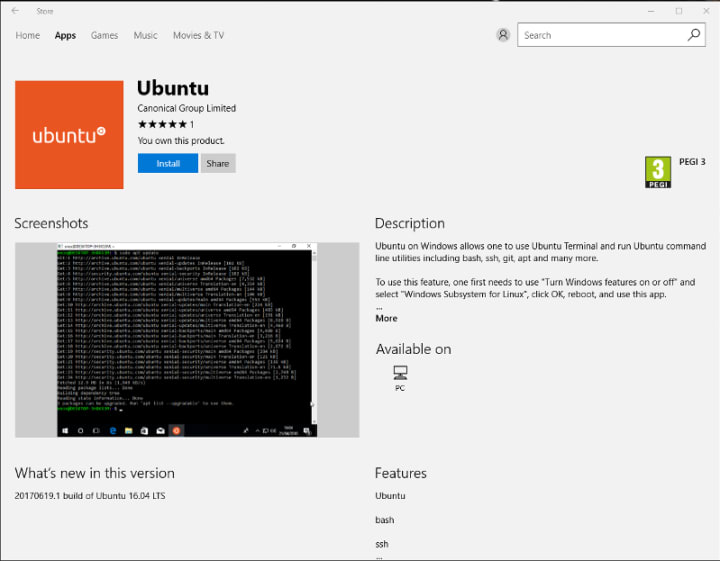
Our team and Microsoft recently released Ubuntu as a Windows app store application! If you toyed with the “bash on Ubuntu on Windows” version before and would like to try the latest and greatest, read on!
Saving your data

If your “bash on ubuntu on windows” environment has some data you’d like to keep, make sure you back it up now. The uninstall process will nuke everything.

Uninstall the old way

This is relatively simple. Opening a command line (cmd.exe) terminal and typing

lxrun /uninstall

will destroy your previous environment.

Installing the new way

To find the app in the Microsoft store, just type “Ubuntu” in the search bar. Click install. Voilà!

Related posts


Canonical
25 August 2026

Arduino® VENTUNO™ Q is available for pre-order with Ubuntu pre-installed

Canonical announcements Article

London, UK – August 25, 2026 – Following our initial collaboration announcement in March 2026, Canonical and Arduino (a subsidiary of Qualcomm Technologies, Inc.) are excited to announce that VENTUNO Q is now generally available for pre-order, pre-loaded with Ubuntu. VENTUNO Q is a dual-brain developer board designed for edge AI and robot ...


Mikhail Khazov
13 August 2026

Advantech AOM-2721 is now Ubuntu Certified

Internet of Things Article

Canonical announces that the Advantech AOM-2721 is officially joining the list of Ubuntu Certified Hardware. ...


Canonical
11 August 2026

Canonical integrates NVIDIA Nemotron 3.5 Lightning with Ubuntu for always-on AI agents

AI Inference

Canonical is pleased to announce that  NVIDIA’s newly introduced NVIDIA Nemotron 3.5 Lightning, an open, customizable model built for always-on AI agents, is now available on Ubuntu with single-command installation.  NVIDIA Nemotron 3.5 Lightning is an open 30B hybrid Mixture-of-Experts (MoE) model with 3B active parameters, designed for ...